Plug-in Solar Microinverter Problems & Fixes
Wi-Fi dropouts, firmware bugs, overnight battery drain, and overheating shutdowns. Here's what actually goes wrong with microinverters and how to fix it.
Microinverters Are Usually Brilliant. Sometimes They're Annoying.
The microinverter is the brain of your plug-in solar system. It takes the DC power from your panels and converts it to AC electricity you can use at home. When they work, they're fantastic — panel-level power optimisation, simple installation, no electrician digging up your kitchen. When they don't work, you're staring at a brick that isn't generating anything.
Over the first year of UK plug-in solar deployments, we've seen patterns emerge. Some issues are firmware glitches. Some are Wi-Fi gremlins. A few are genuine hardware faults. And one notorious EcoFlow bug became famous enough that owners were warning each other on Reddit.
Let's walk through the real problems and what you can actually do about them.
Problem 1: No Output — The Inverter Won't Generate
Your panels are fine, the sun is shining, but the inverter isn't producing anything. The app either shows offline or zero watts output.
What the LED lights are telling you: Check the inverter itself. A healthy inverter has a steady green light. No light at all means no power reaching the inverter. A red light usually means a fault. A yellow or amber light typically means "I can see input but something's not right." Consult your manual — LED patterns vary between brands.
The reset routine: Nine times out of ten, an inverter that's producing nothing just needs a restart. This clears temporary glitches in the firmware. The reset procedure varies by brand — usually it's one of these:
- Hold the power button for 10 seconds until lights blink, then release.
- Unplug the inverter from the mains socket for 30 seconds, then plug it back in.
- Check the manual for a tiny reset button — press and hold for 5 seconds.
Wait 2–3 minutes after restart for the inverter to fully boot up, then check the app or lights again.
If that doesn't work: Check that the panels are actually producing power. A Fluke 117 Multimeter can help you test the DC voltage and confirm whether the panel is generating. Walk through our troubleshooting guide to confirm power is reaching the inverter. If the panels are producing but the inverter won't convert it, you likely have a hardware fault and the unit needs replacing under warranty.
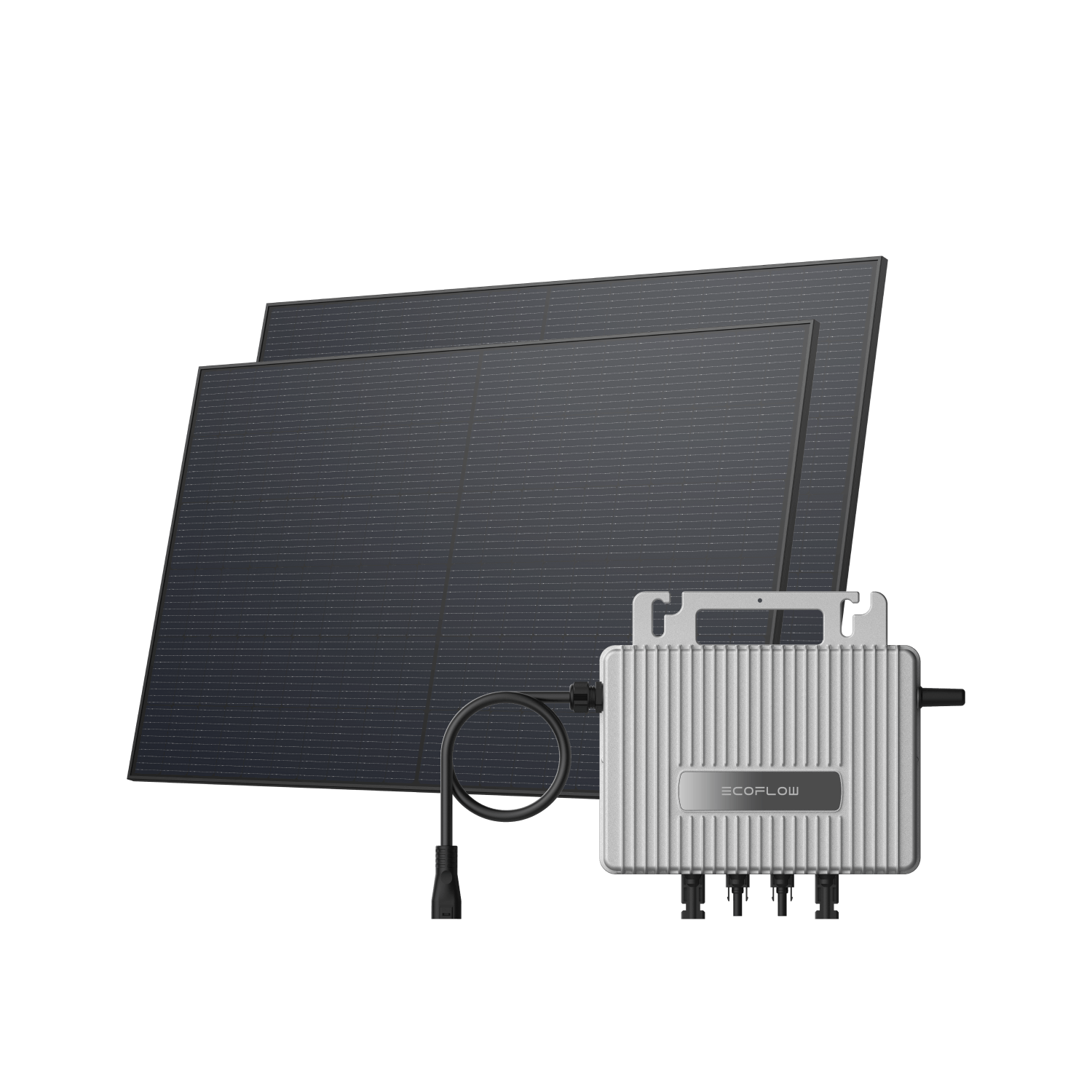
- 800W dual-panel balcony or garden kit
- 600Wh plug-in battery included
- App with live monitoring & smart scheduling
- Balcony, garden & flat-roof mount options
Problem 2: Wi-Fi Dropout — "Your Inverter Is Offline"
Your inverter is working and generating, but the app keeps saying "device offline" or "no connection." Sometimes it reconnects after a few minutes, sometimes it takes hours.
This is almost always a Wi-Fi signal problem, not a hardware fault.
The diagnosis: Check your router's Wi-Fi signal strength in the room or area where your inverter is. If you're connecting from upstairs or from another building, the signal might be weak. Microinverters often have modest Wi-Fi chips — they work best within 10–15 metres of your router with a strong signal.
The fixes:
Move your router closer to the inverter if possible. Even shifting it a few metres can make a huge difference.
Reduce obstacles between the router and inverter. Wi-Fi struggles through metal, brick, and water. If your router is in the hallway and your inverter is on the far side of the house, you've got a problem.
Switch to a 2.4GHz Wi-Fi network if you have a dual-band router. Some microinverter Wi-Fi chips only reliably connect to 2.4GHz — the newer 5GHz band is sometimes incompatible.
Restart your router. Unplug it for 30 seconds, plug it back in, and wait for it to fully boot (usually 2–3 minutes). Then restart your inverter too. Sometimes they lose sync with each other.
Consider a mesh Wi-Fi system (like Eero or BT Whole Home) if you've got a large house or poor signal coverage. These systems work brilliantly for distributed IoT devices like solar inverters.
If you're still offline: Check that your Wi-Fi password hasn't changed. If you've recently updated your router firmware or changed security settings, the inverter might be trying to connect with old credentials. You'll usually need to re-add the inverter to your Wi-Fi network — most have a manual or app procedure for this (often called "pairing" or "onboarding").
The important thing to remember: Wi-Fi dropouts don't affect power generation. Your panels still work. The inverter still converts power. You just can't see real-time data in the app. It's annoying, but not a system failure.
Problem 3: Firmware Update Failures
Some microinverters automatically check for firmware updates, and occasionally one will partially install and leave the inverter in a broken state. The app might say "update failed" or the inverter might refuse to generate.
What you can do: First, try another reset. An incomplete firmware update sometimes recovers with a clean power cycle.
If the inverter is completely unresponsive after an update, you'll likely need a manual re-flash. This usually means downloading firmware from the manufacturer's website, connecting via USB cable, and running a desktop application — it's more technical than a simple reset. Check your manufacturer's support page for instructions specific to your model.
If you're not confident: Contact the manufacturer's support team. They can often push a firmware fix remotely, or arrange a replacement if the unit is damaged. This is usually covered under warranty.
Problem 4: Overheating Shutdown in Summer
On a very hot, sunny day, your inverter produces brilliantly for an hour, then suddenly drops to zero output. The next hour it's fine again, then it shuts down again. The pattern repeats.
This is thermal shutdown. Most microinverters have a temperature sensor and will stop generating if they get too hot (typically above 60–80°C). It's a safety feature to protect the electronics from damage.
Why it happens: If your inverter is in direct sunlight, mounted on a black surface, with poor airflow, it gets hot. Some mounting locations (like on a south-facing wall in full sun) are particularly prone to this.
The fixes:
If your inverter is outside and in direct sun, consider shading it slightly. A small overhang or shade cloth positioned above (not blocking the panels themselves, just the inverter) can drop temperatures by 5–10°C.
Ensure there's space around the inverter for air circulation. Don't mount it in a corner where air can't flow.
Reduce the tilt angle of your panels very slightly if possible (a few degrees). This changes the angle of sun incidence and can reduce heat absorption.
In reality, thermal shutdown in summer is often a sign your location is marginally too hot for that particular inverter model. It's a flaw in the product choice rather than something you can fix easily. For future reference, if summer overheating is an issue, you'd consider a model with better thermal management or one with a higher temperature threshold.
Problem 5: Overnight Battery Drain — The EcoFlow Bug
Here's a notorious one that caught a lot of early adopters: some EcoFlow PowerStream units (a common plug-in solar microinverter in the UK) had a firmware bug where leaving the panels plugged in overnight could slowly drain the battery, sometimes completely. In extreme cases, the system would enter a "dead state" where it wouldn't restart without manual intervention.
If you own an EcoFlow PowerStream: Check your firmware version in the app (Settings > Device > Firmware Version). EcoFlow issued fixes for this bug in firmware updates released in late 2025 and early 2026. If you're behind on updates, update immediately.
If you haven't updated and you're worried about overnight drain, the workaround is simple: disconnect the panel cables from the inverter at night or before extended periods away from home. This prevents the battery drain cycle entirely. Yes, it's annoying, but it works and takes 20 seconds.
If the battery has already completely drained: You might need to perform a "hard reset" — EcoFlow's support team can walk you through this. It involves holding specific button combinations or connecting via USB. Don't attempt this blindly; contact EcoFlow support first.
Why mention this openly? Because it happened, and other manufacturers should learn from it. If you're considering which inverter to buy, EcoFlow's response (acknowledging the issue, releasing fixes, supporting customers) was professional. But the lesson is clear: microinverter firmware can have bugs, especially in the early years of the product.
Problem 6: Physical Damage or Water Ingress
Less common, but sometimes inverters get damaged by impact, water, or corrosion. Signs include water pooling inside the unit, visible cracks, or corrosion around the connectors.
Water inside an inverter is a serious problem — it causes shorts and electrical hazards. If you suspect water ingress, do not attempt to use the inverter. Disconnect it and contact the manufacturer.
Corrosion around connectors usually means the connectors themselves need replacing. This is an electrician job, but often the replacement parts are cheap — it's the labour cost that stings.
Choosing Quality Inverters in the First Place
Here's the honest truth: the UK plug-in solar market is brand new. Products are still being proven in real UK homes, in real weather, year-round. Some brands are handling this well (responsive support, quick firmware fixes, good hardware quality). Others are learning the hard way.
When you buy a plug-in solar kit in 2026, consider the manufacturer's support reputation, how quickly they've pushed firmware fixes for known issues, and whether they have good UK technical support (not just a chat bot). These matter more than you might think.
Warranty and When It Applies
Most microinverters come with a 5–10 year warranty. This covers genuine hardware faults like failed power supplies, component failures, or thermal sensor issues. It does not typically cover:
Damage from improper installation or use.
Water damage from poor weatherproofing on your part.
Damage from power surges (a surge protector is worth having).
Software issues that don't affect hardware (though manufacturers often fix these anyway).
If you have a fault within warranty, keep your proof of purchase and receipt. Document the problem (photos, app screenshots, error codes). Contact the manufacturer with this information — most will arrange a replacement or repair.
The Bigger Picture
Microinverter problems are frustrating when they happen, but they're usually fixable and, importantly, they don't represent a fundamental flaw in plug-in solar. The technology is robust. It's just that like any new market, the early adopters experience teething problems.
If your microinverter is causing repeated issues, don't suffer in silence — contact the manufacturer. If they're good, they'll help. If they're not responsive, note it for your next purchase.
For more on diagnosing why your panels aren't generating at all, check our troubleshooting guide. And if you're still in the buying phase, our guide to choosing the best plug-in solar kit will help you pick a reliable inverter in the first place.
Related reading
See how much plug-in solar could save you — with real data for your postcode.